doc2mcpdoc2mcp
DocsMarketplaceBlogPricing
⌘K
Open App

Sections

Getting Started

IntroductionWhat is MCP?What is doc2mcp?Why doc2mcp?How it worksQuick startFirst MCP in 5 minutes

Core Concepts

Documentation crawlingKnowledge processingRetrieval layerMCP generationAgent compatibility

Guides

Convert docs to MCPConnect to CursorConnect to Claude DesktopConnect to WindsurfConnect to VS CodeConnect to OpenAI AgentsConvert private documentation

Examples

Stripe docs → MCPSupabase docs → MCPGitHub repo → MCP

API Reference

AuthenticationProjectsMCP serversSearch

Deployment

Hosted versionSelf hosted

Enterprise

Access controlSecurity

Reference

Architecture & workflowAPI keysCursor setup (detailed)FAQ

Legal

Terms of ServicePrivacy PolicyAcceptable Use Policy
Developer docs

Documentation as AI infrastructure

Transform any docs site into a hosted MCP server. Cursor, Claude, OpenAI Agents, and more can search, read, and cite your real API documentation — without hand-written tool wrappers.
New to MCP? Start hereQuick startOpen app
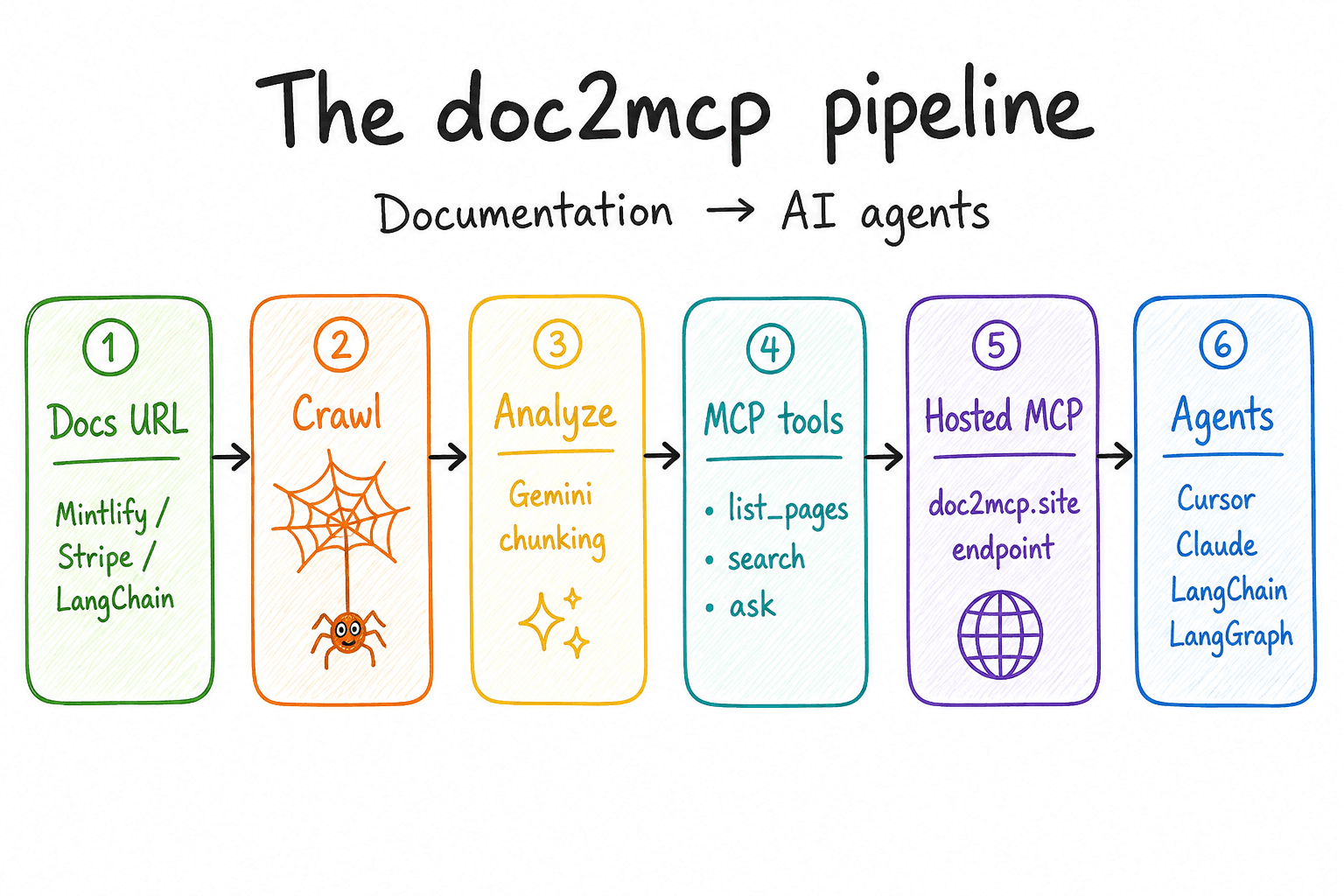
The doc2mcp pipeline: documentation, crawling, knowledge processing, retrieval, MCP generation, AI agents

What is MCP?

Model Context Protocol basics before you wire your first server.

What is doc2mcp?

Documentation infrastructure — crawl, index, host, and connect agents.

Quick start

Generate your first MCP from any docs URL in about five minutes.

First MCP in 5 minutes

Step-by-step from pasted URL to a working server in Cursor.

Convert docs to MCP

Full write path: URL → crawl → tools → hosted endpoint.

Connect your tools

Cursor, Claude, VS Code, Windsurf, and OpenAI Agents.

Examples

Stripe, Supabase, and GitHub documentation → live MCP.

Try it now

Turn your docs into a live MCP

Paste a documentation URL in the app — most conversions finish in under a minute.

Open appQuick start